Discovery Call Notes Template (Free, Copy and Paste) with a Filled-In Example
By Andrew from Realtimer · Updated
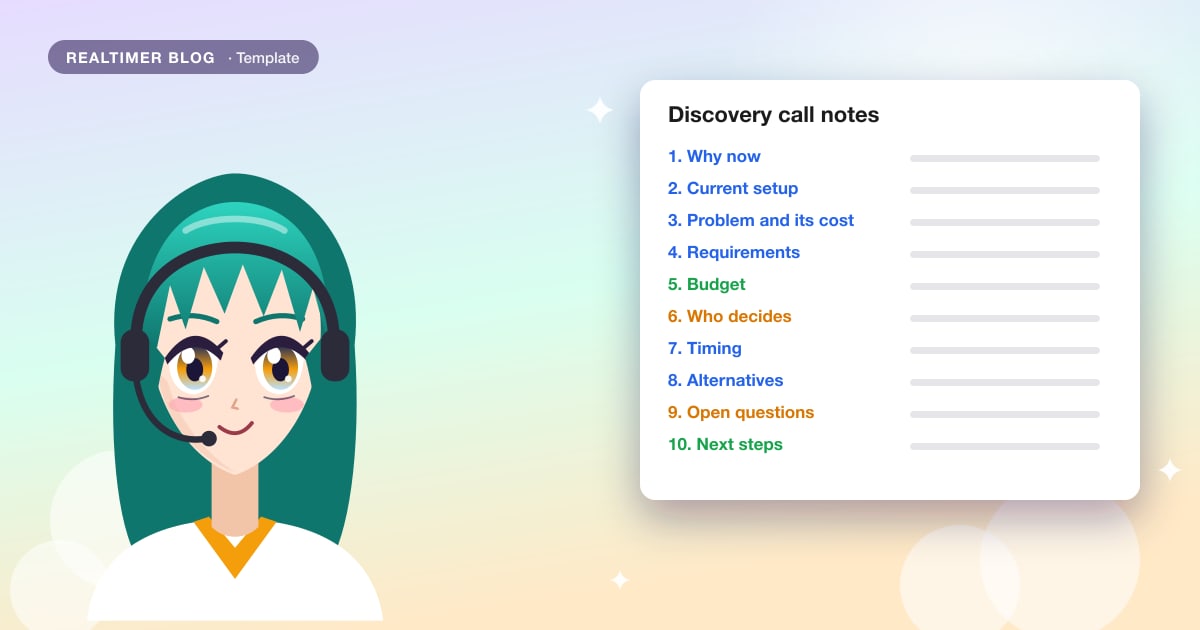
After a discovery call, anyone on the deal should be able to read your notes and know why the buyer is talking to you, what they need, who decides, by when, and what happens next. Below is a template you can copy into your CRM, a doc or a notes app, the same template filled in for a sample call, and the questions that fill each section.
We make Realtimer, a Mac app that writes notes like these after the call. The template works on paper or in any tool.
Discovery call notes template
Copy it as plain text. Each section answers a question the next person on the deal will ask you.
DISCOVERY CALL NOTES
Company: [name]
Contact: [name, role]
Date: [date]
Rep: [name]
Call: [first call / follow-up]

1. Why now
   [What made them take the call, in their words]

2. Current setup
   [What they use today; what isn't working]

3. Problem and its cost
   [The problem as they describe it; any numbers they gave]

4. Requirements
   Must have: [ ]
   Nice to have: [ ]

5. Budget
   [Any figure or range they mentioned; how they usually buy]

6. Who decides
   [Decision maker; who else is involved; who could block it; approval steps]

7. Timing
   [Start date, deadline or event driving it]

8. Alternatives
   [Other vendors they use or are looking at; "do nothing" counts]

9. Open questions
   [What they asked that you couldn't answer; what you still need to learn]

10. Next steps
   - [Action] | Owner: [name] | By: [date]
   - [Action] | Owner: [name] | By: [date]
Filled-in example
A first call with a fictional food distributor shopping for warehouse software. All names are made up.
DISCOVERY CALL NOTES
Company: Lakeside Foods (food distributor)
Contact: Priya Nair, Operations Director
Date: 12 November 2026
Rep: Daniel Ortiz
Call: first call

1. Why now
   "We shipped the wrong pallets to two customers last month."
   Second warehouse opens in March; the current process won't cover two sites.

2. Current setup
   Stock tracked in spreadsheets, paper pick lists.
   One person updates the counts at the end of every shift.

3. Problem and its cost
   Priya estimates 3 to 4 mis-picks a week.
   Each one means a re-delivery; her guess is about $400 each.

4. Requirements
   Must have: handheld scanners; works with their accounting system.
   Nice to have: route planning for drivers.

5. Budget
   No number yet. "It has to pay for itself within a year." Prefers annual billing.

6. Who decides
   Priya recommends; CFO approves anything over a year.
   IT lead (name TBD) must sign off on the accounting integration.

7. Timing
   Live in the first warehouse by February, before the March opening.

8. Alternatives
   Talking to one other vendor (wouldn't say which).
   Doing nothing means hiring two more people for the new site.

9. Open questions
   - Does our scanner app work offline? (we said yes; send the spec)
   - Can we import their product list from the spreadsheet? (check with onboarding)

10. Next steps
   - Send pricing for 2 sites and 12 scanners | Owner: Daniel | By: 16 November
   - Intro to the IT lead | Owner: Priya | By: 19 November
   - Integration call with IT | Owner: Daniel | By: 26 November
Discovery call questions for each section
If a field is still empty halfway through the call, ask one of these. Use your own words and whatever order the conversation allows.
| Section | Questions to ask |
|---|---|
| Why now | “What made you take this call now?” “What happens if nothing changes this quarter?” |
| Current setup | “How do you handle this today?” “What works, and what would you change?” |
| Problem and its cost | “How often does it happen?” “What does one occurrence cost you, in time or money?” |
| Requirements | “What would a new tool have to do from day one?” “What would make you rule a vendor out?” |
| Budget | “Have you set money aside for this?” “How did you buy the last tool like this?” |
| Who decides | “Who else needs to agree?” “Who could stop this, and what would worry them?” |
| Timing | “When do you need it working?” “What’s driving that date?” |
| Alternatives | “Who else are you talking to?” “What happens if you keep things as they are?” |
| Open questions | “What do you need from us before the next call?” |
| Next steps | “What should happen next, and by when?” “Who from your side should be on the next call?” |
How to take discovery notes without losing the conversation
Write down the buyer’s own words for the problem and for anything that sounds like a deadline. Paraphrase later; a quote like “we shipped the wrong pallets to two customers last month” is worth more in the proposal than your summary of it.
Record numbers exactly as they were said, including ranges and guesses, and note who gave them. If the buyer didn’t say something, leave the field empty instead of filling it with what you expect. An empty “Who decides” tells you what to ask on the next call.
Keep open questions separate. They become the agenda for the follow-up and the first thing you send after the call. Finish the notes the same day, while you still remember what the shorthand meant.
After a few calls, look at what lands in Open questions. If most of it is price, terms or how you compare with a competitor, the answers are often already in your own documents. Realtimer shows them on screen during the call, so the buyer doesn’t wait for a follow-up.
Put a number on the problem
Whoever signs off on the budget will ask what the problem costs. Ask how often it happens and what one occurrence costs, then multiply. In the example, 3 to 4 mis-picks a week at about $400 each comes to $1,200 to $1,600 a week, or roughly $62,000 to $83,000 a year.
The figures in the notes should be the buyer’s, marked as guesses if they said so. Read the total back before the call ends: “So somewhere around $60,000 to $80,000 a year, is that fair?” If they correct you, the corrected number goes in the notes and later in the proposal.
Map everyone who can say yes or no
Write down every person the buyer mentions: their role, what they care about, and whether they’re pushing for the deal, neutral or likely to object. For the example call:
STAKEHOLDERS: Lakeside Foods
Priya Nair, Operations Director
   For the deal. Wants fewer mis-picks before the March opening.
CFO (name TBD)
   Approves anything over a year. Stance unknown; not on the call.
IT lead (name TBD)
   Could block. Must sign off on the accounting integration.
Anyone marked “could block” gets a next step of their own, like the integration call with IT in the example.
Short version for quick inbound calls
For a 15-minute call with an inbound lead, fewer fields are usually enough. If the deal moves forward, switch to the full template on the next call.
QUICK DISCOVERY NOTES
Company / contact: [ ]
Why now: [ ]
Problem: [in their words]
Who decides: [ ]
Timing: [ ]
Next step: [action] | Owner: [ ] | By: [date]
Mistakes that make discovery notes useless
Often only the champion makes it into the notes, and the IT lead or finance person who can block the deal isn’t mentioned at all. Add them to the stakeholder list above, even if you only know their role.
Next steps often have no owner or date. “Follow up next week” doesn’t say who sends what. Give each step a name and a day, on both sides.
Summaries in your own words lose the detail. “Customer wants better efficiency” could describe any company, while “one person updates the counts at the end of every shift” tells the next person what to fix.
Notes written days later are mostly your pitch: by then you remember it better than what the buyer said. Fill in the template the same day, even if some fields stay short.
Typed notes, a recording or an AI notetaker
Typing during the call gives you short notes and takes your attention off the buyer. A recording keeps every quote; someone still has to write the notes from the transcript afterward, and that’s easy to put off.
An AI notetaker fills in a structure like this one for you. Many of them join the meeting as a bot, which some buyers notice and some companies block; others, Realtimer included, run on your own computer and nothing joins the call. Prices for 11 tools are in our AI meeting assistant pricing comparison.
Whatever you use, ask before recording. Consent rules differ by country, and in the US some states, California among them, require everyone on the call to agree.
Adapt the template to your sales process
For small deals that close in one or two calls, drop Alternatives and keep Budget to one line. For enterprise deals, add two fields: Paper process (legal review, procurement, security questionnaire; the extra P in MEDDPICC) and Mutual plan, the dated steps both sides agreed to. If you sell through partners, add a line for who owns the customer relationship.
Where BANT and MEDDIC fit in the template
If your team qualifies with BANT (budget, authority, need, timeline), widely credited to IBM, or MEDDIC, which came out of PTC’s sales team in 1996, the same notes cover both:
| Template section | BANT | MEDDIC |
|---|---|---|
| Why now, Problem and its cost | Need | Identify pain, Metrics |
| Requirements | Need | Decision criteria |
| Budget | Budget | — |
| Who decides | Authority | Economic buyer, Decision process, Champion |
| Timing | Timeline | Decision process |
| Alternatives | — | Competition (in MEDDPICC) |
Turn the notes into a recap e-mail
Send the buyer a short recap the same day: what you heard about the problem, what they need, the next steps with owners and dates, and the open questions you’ll answer. If you got something wrong, this is where they correct it, before it reaches the proposal.
Notes that write themselves
With the Sales call brief, Realtimer writes these notes when you press Stop: a summary, then what the buyer said about their needs and current setup, budget, team and roles, who decides, competitors, and timing, with each next step and who takes it. Questions nobody answered go into a separate list, and anything the buyer didn’t say stays out. No bot joins the call. See discovery call notes in Realtimer.
Discovery notes without typing
Realtimer runs on your Mac next to Zoom, Meet, Teams or any other call app, and joins nothing. It answers the buyer’s questions from your own price lists during the call and writes the notes when you press Stop. Free with your own API keys. AI meeting notes →
Discovery call notes: FAQ
What should discovery call notes include?
Why the buyer is looking now, what they use today, the problem and its cost, requirements, budget, who decides, timing, alternatives they consider, open questions and next steps with an owner and a date.
Should I take notes during the call or after?
Jot down quotes, numbers and names during the call, and fill in the template right after it, the same day. Long typing during the call takes your attention away from the next question.
How long should discovery call notes be?
Long enough that someone who missed the call could run the next one. For most first calls that fits on one page. Quotes and numbers matter more than full sentences.
What’s the difference between discovery notes and a discovery call script?
A script lists what you plan to ask. Notes record what the buyer answered. The question table above works as a light script, and the template is where the answers go.
Is this template BANT or MEDDIC?
Both fit. Budget, Who decides, Requirements and Timing cover BANT; Problem and its cost, Who decides and Requirements cover most of MEDDIC.
Where should I keep discovery notes?
Where the rest of the deal lives, usually the opportunity record in your CRM, so the next person on the deal finds them without asking.
Sources: Built In: BANT, what it is and how to use it (builtin.com) · MEDDICC: who created MEDDIC (meddicc.com) · California Penal Code § 632: recording needs the consent of all parties (california.public.law)