How AI Assistants Are Changing Real Estate Sales Calls
By Andrew from Realtimer · Updated
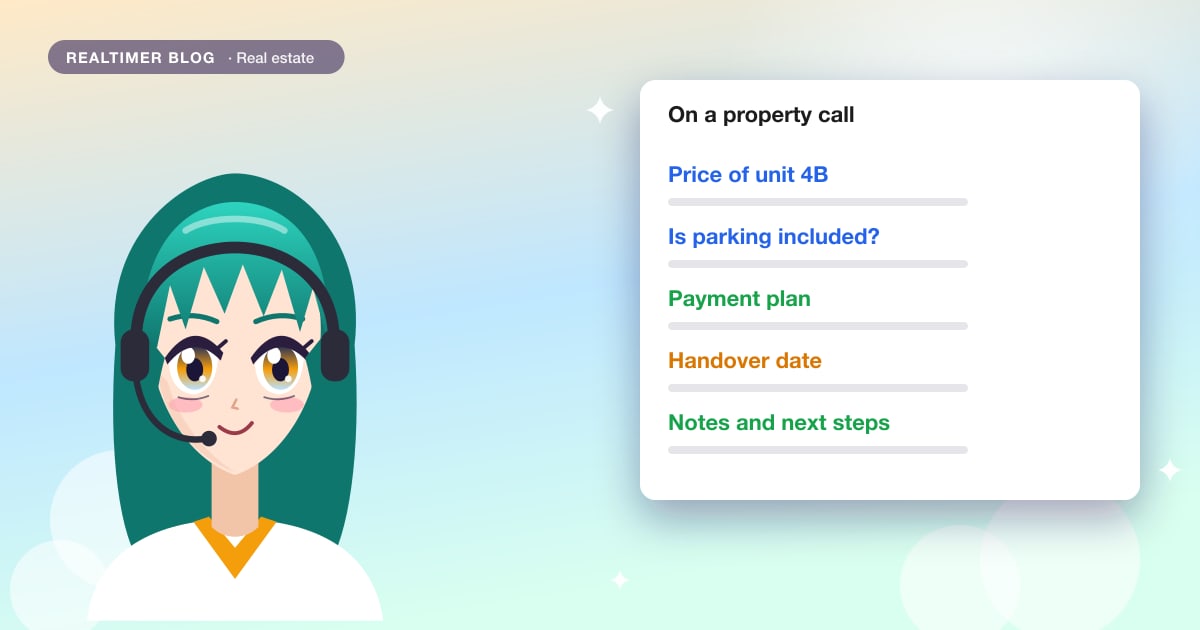
A real-time AI assistant listens to a live sales call, transcribes it, and shows the agent answers from their own documents while the buyer is still on the line. Realtimer does this for sales, real estate, and recruitment calls, with live transcription in 60+ languages on paid plans.
The challenges real estate agents face on sales calls
A property call asks an agent to keep a lot in their head at once.
Prices are the first problem. A new-build project can have dozens of units, each with its own price, floor, area, and status, and buyers ask about one unit, then another. Quoting last week’s price, or a unit that is already reserved, costs trust.
Objections slip by. A buyer says the maintenance fee looks high while the agent is looking for the floor plan, and nobody answers it. It comes back later as a reason not to buy.
Promises get lost. “Can you check whether parking is included and get back to me?” is easy to promise and easy to forget once the next call starts.
Agents usually know these answers. They can’t find them fast enough while the buyer waits, which is why agents and developers are starting to put an AI assistant next to the call.
What a real-time AI assistant does on a call
An AI assistant for real estate agents runs on the agent’s computer during the call. It captures audio locally, transcribes the conversation live, and matches what the buyer asks against the documents the agent has uploaded. No bot joins the meeting.
Realtimer works this way on Zoom, Google Meet, Teams, WhatsApp, Telegram, and web dialers. It runs on Mac and Windows.
Real-time answers from your own documents
Before the call, the agent uploads price lists in CSV or Excel, floor plans, specifications, payment plans, PDFs, Word and PowerPoint files, and images.
When a buyer asks “What is the price of the two-bedroom on the fourth floor?”, the assistant finds the matching row in the price list and shows the answer on the agent’s screen, usually in about a second. The answer names the file it came from, so the agent can check it before saying it out loud.
So the agent doesn’t have to pause the call, share the wrong tab or promise to get back to the buyer later. When the price list changes, the next answer uses the new file.
AI notetaking during property calls
The assistant also keeps the record of the call: AI-powered meeting notes with a summary, decisions, and next steps.
On a property call that means the buyer’s requirements (budget, number of bedrooms, move-in date), the objections they raised, and what the agent promised to send. The agent stays in the conversation instead of typing, and writes the follow-up email from the notes.
On the Team plan, notes sync to the CRM. Realtimer connects to HubSpot, Salesforce, and Pipedrive, so the call record lands on the right contact without copy and paste.
How real estate developers benefit from AI on sales calls
Developers have the same problem at a larger scale. There are more units, pricing has tiers and payment plans, and the same project is sold by in-house reps and partner agencies who all need the same answers.
With AI tools for property developers, the developer loads one price list with a row per unit, plus floor plans, specifications, and the payment plan, and every rep answers from the same files. When a unit is sold or a price changes, updating the file changes the answers for everyone from the next question.
Multilingual buyers
International buyers are a large share of demand in many new-build markets. A call may run in English with a buyer whose first language is German or Polish, or switch languages halfway through.
Realtimer transcribes calls live in 60+ languages on Pro and Team plans, and nine on the Free plan. A multilingual mode handles calls that mix two languages. The Translate feature on Pro shows difficult terms in the rep’s own language, which helps with legal and construction vocabulary. More detail is in the guide to real-time translation for sales calls.
That means fewer misunderstandings about numbers and terms, which is where cross-language property deals usually go wrong.
Detailed buyer questions
Serious buyers ask specific questions. What are the taxes on top of the price? When is handover? Is parking included or sold separately? What is the payment schedule before completion?
These are the real estate buyer questions that decide a deal, and the answers are in the developer’s own documents. The assistant pulls them from the price list, the specification or the payment plan during the call, so a rep who joined last month answers as accurately as one who has sold the project for a year.
Is AI on real estate calls safe and private?
Buyers share financial details on these calls. This is what Realtimer does with call data:
- Audio is never stored. It is captured on the agent’s computer and used for live transcription.
- Realtimer does not train AI models on user data. On Pro and Team plans, its AI providers don’t either.
- On the Free plan, nothing is stored on Realtimer’s side. On Pro, call text is saved to the account while call history is on, and you can turn that off in Settings.
- No bot joins the call as a participant.
- Team plans include a Data Processing Agreement.
Consent is the agent’s part. Rules for transcribing calls differ by country, so check what applies where you and your buyers are, and tell the buyer when it is required. The full breakdown is in the article on AI call assistant privacy.
Real-time sales coaching vs. post-call analysis: which matters more?
They solve different problems, so it comes down to which one you need first.
In-call guidance changes the answer the buyer hears today. If the agent gives the right price, handles the objection and confirms the handover date on the spot, the call moves forward, and a wrong number said during the call can’t be fixed afterward. This is the idea behind real-time sales coaching.
Post-call analysis finds patterns across many calls: which objections come up most, which questions the documents don’t answer, where new reps lose buyers. It pays off over the following month.
For a solo agent, in-call help and notes cover most of the value. A sales team needs both: live answers on each call, and review to improve the price list, the documents and the training.
How to get started with an AI assistant for real estate calls
Setup for one agent takes a few minutes.
- Install the app. It needs macOS 14.4 or later.
- Start the 7-day Pro trial, which needs no card, or use the Free plan with your own API keys.
- Upload the price list (CSV or Excel), floor plans, specifications and the payment plan for the listings you are selling now.
- Run a test call. Open Zoom, Google Meet, Teams or WhatsApp, ask the questions buyers usually ask, and check each answer against its source file.
- Take a real call. Afterward, read the notes and fix any document that gave an incomplete answer.
Agencies and developers usually start with a 14-day pilot: one development loaded, the CRM connected, and the team using the app on real calls.
To see plans and the setup for agents and agencies, explore Realtimer for real estate.
Answers from your price list, on every buyer call
Realtimer runs on your reps’ computers next to Zoom, Meet, Teams or WhatsApp, and joins nothing. It answers buyers’ questions from your own price lists and floor plans in about a second, in 60+ languages on Pro. Free 14-day pilot for developers →
FAQ
What is a real-time AI assistant for real estate sales calls?
It is software that listens to a live property call, transcribes it, and shows the agent answers from their own documents, such as price lists and floor plans, while the buyer is still on the line. It also writes notes with a summary, decisions, and next steps.
Can an AI assistant answer buyer questions during a live property call?
Yes. When a buyer asks about price, availability, area, parking, or payment terms, the assistant finds the answer in the uploaded documents and shows it on the agent’s screen, usually in about a second. The agent reads it and replies in their own words.
How does an AI assistant access my pricing and property documents during a call?
You upload the files before the call. Realtimer accepts price lists in CSV or Excel, plus PDF, Word, PowerPoint, text, images, and floor plans. The files are added to a knowledge base, and each answer shows which file it came from.
Is it safe to use an AI assistant on client calls in real estate?
Realtimer never stores audio and does not train AI models on user data. No bot joins the call. Consent rules for transcription vary by country, so check local requirements and inform the buyer where needed.
Does the AI assistant work for multilingual real estate buyers?
Yes. Realtimer transcribes calls live in 60+ languages on Pro and Team plans and nine on the Free plan. A multilingual mode covers calls that mix languages, and Translate on Pro shows difficult terms in the rep’s language.
Can property developers customize the AI assistant for their specific inventory?
Yes. Developers load a price list with one row per unit, floor plans, specifications, and the payment plan. Answers come from those files. Updating a file changes the answers for every rep and partner agency from the next question.
How is an AI call assistant different from a CRM or post-call recording tool?
A CRM stores deal data, and a recording tool lets you review a call after it ends. An AI call assistant works during the call. It gives the agent the answer while the buyer is waiting for it, then produces notes. On the Team plan, Realtimer syncs those notes to HubSpot, Salesforce, or Pipedrive.