What Is Claude Meetings? An Introduction to Anthropic’s Meeting Assistant and How to Start Using It
By Andrew from Realtimer · Updated
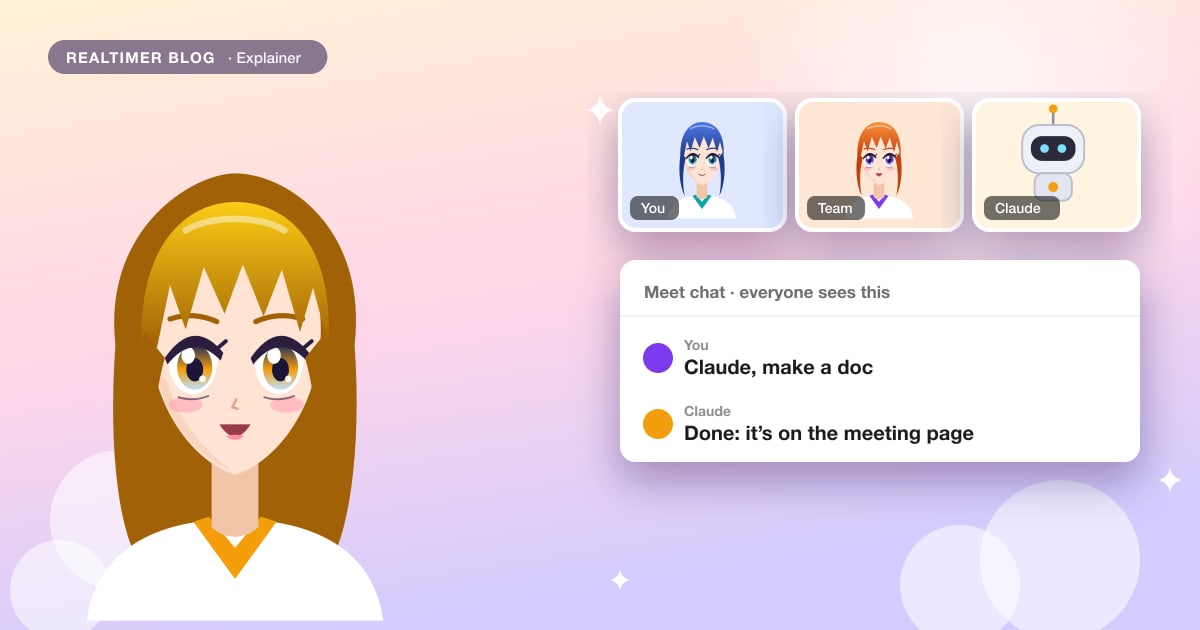
Claude Meetings lets you bring Claude into a Google Meet call as one of the participants. It takes notes while people talk, answers when someone says “Claude” or types in the chat, and can make a doc or a whiteboard on the spot. After the call it leaves a page with the summary, action items and transcript. Anthropic opened it as a beta for Claude Team and Enterprise in November 2026.
From Anthropic’s announcement of 12 November 2026 and the Claude Meetings help article, checked on 13 November 2026. Settings may move while the feature is in beta. We make Realtimer, a call assistant for Mac. Our verdict on Anthropic’s tool is in the Claude Meetings review, and its risks in Claude Meetings security issues.
Claude Meetings in short
Most AI notetakers record a meeting and hand you a summary afterwards. Claude Meetings does that too, but it also works for the people in the meeting while it runs: a question in the chat gets an answer in the chat, and “Claude, make a whiteboard” produces one. Everything lives on a meeting page in Claude that colleagues from your organization can open and edit. Anthropic’s Nicholas Lin told Axios that Claude acts only when asked for now and may become more proactive later.
It arrived in the same week as Claude Whiteboards and Sheets, which Computerworld reported as betas on paid plans, and Claude Data, the renamed Dashboards. Whiteboards made in a meeting use the same feature.
Who can use it
| Question | Answer |
|---|---|
| Plans | Claude Team and Enterprise, rolling out in beta; not Free, Pro or Max |
| Default on Team | On for everyone; an owner can limit it or turn it off |
| Default on Enterprise | Off until an owner turns it on, for everyone or for chosen roles |
| Meeting app | Google Meet; other platforms “coming soon” |
| Where you manage it | Claude on the web and Claude Desktop |
| Not available to | Organizations with zero data retention, HIPAA-ready configuration or customer-managed keys |
| Extra cost in beta | None for notes, transcripts and answers without connected tools |
Step 1 for admins: turn it on
An owner opens Organization settings → Products → Claude Meetings (beta) and chooses who can use it: nobody, specific roles, or everyone. Enterprise can use custom roles here. Two more switches sit on the same page: “Meetings with external guests”, which decides whether Claude may join calls with people from outside the organization, and “Members’ connectors in meetings”, which decides whether Claude can use people’s connected tools during a call. The owner also has to allow the Google Calendar connector, since that is how Claude finds meetings. Our security guide suggests safe values for each, and Claude Meetings for Google Meet covers admitting Claude and the Meet chat.
Step 2: add Claude to a meeting
Open Meetings in Claude, connect Google Calendar, pick an upcoming meeting and press Add Claude. When the call starts, Claude asks to join; if the host declines, it won’t try again unless someone adds it back. Once in, it shows up with its own tile and posts a notice in the chat so people know it is there. Before you add it, Anthropic asks you to make sure everyone on the call is fine with being transcribed.
To have it join without adding it each time, turn on auto-join in Settings → Capabilities → Meetings, for all meetings or all except one-on-ones. This is each person’s own setting. Claude stays up to 8 hours and warns before it leaves. Meet’s built-in recording is separate and covered in how to record Google Meet.
Step 3: ask Claude during the call
Say “Claude” followed by the question, or type it in the Meet chat. Claude answers in writing in the chat, and everyone on the call can read the answer. To get something made, ask for it the way Anthropic’s examples do: “Claude, make a doc” or “Claude, make a whiteboard”. Slides and other Claude artifacts work too.
If you have connected tools in Claude, it can use them with your permission. It asks the first time and remembers your yes; for requests spoken aloud it asks every time for now. Approval prompts appear in the chat or on the meeting page. You can pause Claude or remove it from the call by asking, or from the meeting page.
Step 4: after the call
The meeting page holds the notes, summary, action items, transcript, chat and everything Claude made. Invitees from your organization get a recap e-mail with the link and can edit the page, and it can be shared with other colleagues. Past meetings appear on a calendar in Meetings, and in an ordinary Claude chat you can ask about any meeting you have access to. Anthropic says sending transcripts to Gong, Attention, Granola, Fireflies and Otter is coming. A quick reference for good notes is how to write meeting minutes.
Calls with people outside your company
By default on Enterprise, Claude stays out of meetings with an outside invitee and leaves if one joins midway, even another company’s notetaker bot. On Team, outside guests are allowed unless an owner turns that off. When guests are allowed, Claude still takes notes, including what guests say, but doesn’t reply in the chat, and guests don’t get the meeting page or recap. For live help on client calls, see Claude Meetings alternative.
Where it fits among meeting tools
Claude Meetings sits closest to the notetakers that join as a participant, such as Otter, Fireflies and Fathom, but it is sold only as part of a Claude company plan and only for Google Meet so far. If you are choosing a notetaker for a small team, their prices are in Otter pricing and Fathom pricing. If you’d rather have nothing join the call, see the Granola review and AI meeting assistants without a bot. For Zoom users, AI for Zoom calls covers what works there today.
We make Realtimer, which works on the other kind of call: you and a client, in any app on your Mac, with the answer visible only to you. If your team uses Claude, the Realtimer connector lets Claude read the calls you saved in Realtimer next to your Meet notes.
For the calls with clients
Realtimer runs on your Mac and joins nothing. When a client asks about price or terms, press a key and the answer appears in about a second from your own files, only on your screen; the notes are ready when you hang up. Free with your own API keys. How Realtimer writes notes →
Claude Meetings introduction: FAQ
What is Claude Meetings?
A beta feature of Claude Team and Enterprise that brings Claude into Google Meet calls as a participant. It takes notes, answers questions in the chat, makes docs and whiteboards on request and leaves a meeting page with the summary and transcript.
How do I add Claude to a Google Meet call?
Open Meetings in Claude, connect Google Calendar, choose the meeting and press Add Claude. An owner must first turn on Claude Meetings and allow the Google Calendar connector.
How do I talk to Claude in a meeting?
Say “Claude” and your question, or type it in the Meet chat. Claude answers in writing in the chat, where everyone on the call can see it.
Can Claude join my meetings automatically?
Yes. Turn on auto-join in Settings → Capabilities → Meetings, for all meetings or all except one-on-ones. Each person sets it for themselves.
Can I use Claude Meetings on a personal Pro or Max plan?
No. The beta is for Claude Team and Enterprise only.
Sources: Anthropic: Introducing Claude Meetings, now in beta (claude.com) · Claude Help Center: Use Claude Meetings (support.claude.com) · Computerworld: Anthropic targets workplace collaboration with Claude Meetings (computerworld.com)