MeetGeek Pricing (2026): Plans, Limits and What You Actually Pay
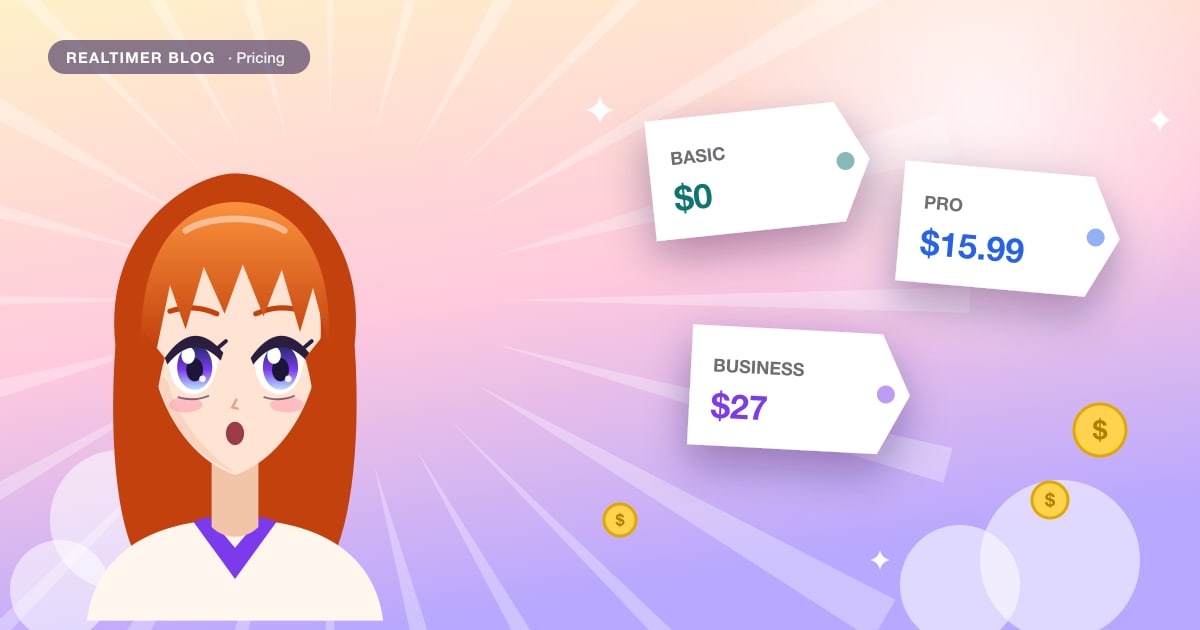
MeetGeek has four plans: Basic is free with 3 hours of transcription a month, Pro is $15.99 per user a month, Business $27, and Enterprise is priced on request. Paying yearly brings Pro down to $9.99 and Business to $17 per user a month, according to the calculator on MeetGeek’s pricing page, which advertises savings of up to 40%. The limits that matter most are hours of transcription (3 on Basic, 20 on Pro, unlimited on Business), recording length per meeting, and how long recordings are kept.
Checked in October 2026 against MeetGeek’s pricing page. The page shows card prices and a team calculator without labeling every billing period, so confirm the final price at checkout. We make Realtimer, a different kind of call tool mentioned at the end.
MeetGeek plans at a glance
| Basic | Pro | Business | Enterprise | |
|---|---|---|---|---|
| Price per user a month | $0 | $15.99 ($9.99 billed yearly) | $27 ($17 billed yearly) | Custom |
| Transcription | 3 hours a month | 20 hours a month | Unlimited | Unlimited |
| Extra hours | Not available | $0.50 per hour | Not needed | Not needed |
| Recording length per meeting | 2 hours | 2 hours | 3 hours | 4 hours |
| Transcripts kept | 3 months | 1 year | Unlimited | Unlimited |
| Audio kept | 1 month | 6 months | 12 months | Custom |
| Video recording | No | No | HD video, kept 12 months | Custom |
| Trial | Free plan | None listed | 14-day trial | Contact sales |
MeetGeek offers a 30% discount for startups, nonprofits and education, and paid plans come with unlimited free Basic licenses for colleagues who only need to view meetings.
What each plan includes
Basic (free)
Recording from Zoom, Google Meet and Teams; mobile, Chrome and desktop apps; transcription in more than 100 languages; AI summaries and AI chat. No integrations are listed on Basic. With 3 hours a month and transcripts kept for 3 months, it works for trying MeetGeek, less so for daily meetings.
Pro
Adds AI agents and workflows, AI chat with tools, integrations through Zapier, Make and n8n, meeting templates (compare with our meeting minutes template), automatic detection of meeting type, personal analytics and user management. The 20-hour cap is the line to watch: that’s about one hour of meetings per working day. Beyond it, extra hours cost $0.50 each.
Business
Adds unlimited transcription, 3-hour meetings, HD video recording, team and group spaces, team meeting analytics, comments, private meetings by default, recording consent notifications and custom branding. Teams that share recordings and want the consent notice built in will end up here.
Enterprise
Adds SSO and SCIM, organization-wide settings and locks, zero or custom data retention, on-premise storage options, custom avatars and voice agents, and a dedicated account manager.
What MeetGeek costs for a team
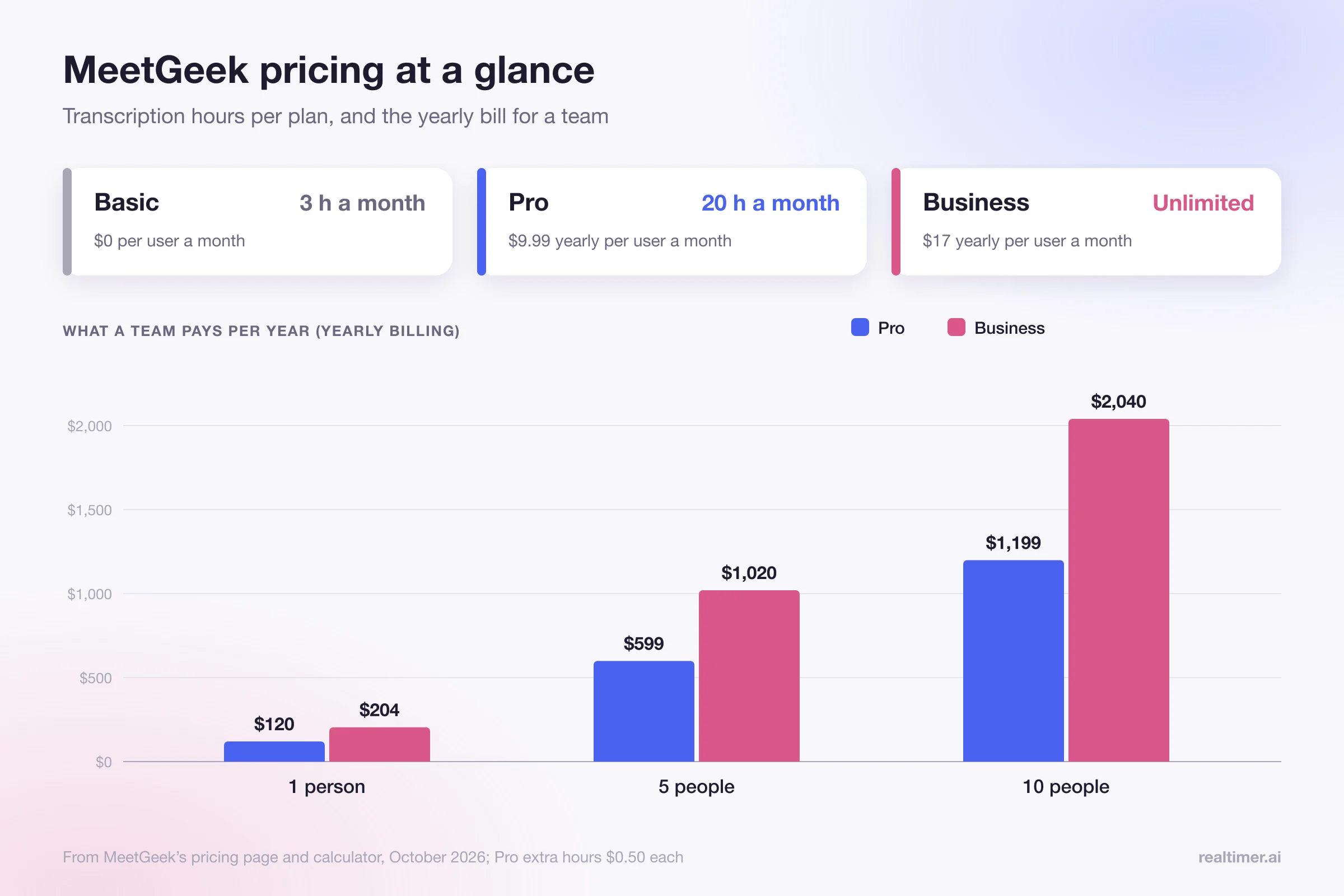
Using the yearly per-user prices from MeetGeek’s calculator:
| Team size | Pro (yearly) | Business (yearly) |
|---|---|---|
| 1 person | $9.99 a month ($120 a year) | $17 a month ($204 a year) |
| 5 people | $50 a month ($599 a year) | $85 a month ($1,020 a year) |
| 10 people | $100 a month ($1,199 a year) | $170 a month ($2,040 a year) |
On Pro, also budget for extra hours. A person with 30 hours of meetings a month pays for 10 extra hours, $5, on top of the seat.
How MeetGeek records meetings
MeetGeek’s notetaker joins the meeting by default and records from inside it; its Zoom guide notes you don’t even need to be in the meeting for the notetaker to record. For calls where a bot isn’t welcome, MeetGeek’s help center describes a desktop app for Mac and Windows that records from your computer with no notetaker joining, and a Chrome extension that can record a browser tab. The desktop app needs a MeetGeek account linked to Google, and bot controls aren’t available in it yet.
Recording consent notifications are listed on the Business plan. On other plans, tell participants yourself: several US states, including California, Florida and Illinois, require everyone on a call to agree to recording.
Is MeetGeek worth it?
MeetGeek is good value if you want recordings, transcripts and AI summaries in more than 100 languages, and especially if your team will share recordings on Business. It’s less of a fit if:
- you have more than 20 hours of meetings a month and don’t want Business;
- you need meetings longer than 2 hours on Pro;
- you don’t want a bot in client calls and can’t use the desktop app;
- you need help during the call, not a recording after it.
MeetGeek alternatives by price
| Tool | Free plan | Paid from | Records with |
|---|---|---|---|
| MeetGeek | 3 hours a month | $9.99 per user a month yearly | Bot by default; desktop app without |
| Read AI | 5 meetings a month | $15 per user a month yearly | Read Assistant joins; desktop app without |
| Tactiq | 10 transcripts a month | €6.67 per user a month yearly | Browser extension, no bot |
| Granola | 30 days of history | $14 per user a month | Desktop app, no bot |
| Realtimer | Unlimited with your own API keys | €29 a month (Pro) | Mac app, no bot |
More detail in our pages on what Read AI is, Tactiq alternatives and the Granola review.
Realtimer helps during the call rather than after it. It runs on your Mac without joining the meeting, and when a client asks a question you press a key and see an answer from your own price list and documents in about a second, then get notes afterwards. It doesn’t keep audio or video recordings. See the sales assistant page.
FAQ
Is MeetGeek free?
Yes. The Basic plan is free with 3 hours of transcription a month, 2-hour meetings and transcripts kept for 3 months.
How much is MeetGeek Pro?
$15.99 per user a month on the pricing card, or $9.99 per user a month billed yearly, with 20 hours of transcription a month and $0.50 per extra hour.
What’s the difference between MeetGeek Pro and Business?
Business adds unlimited transcription, 3-hour meetings, HD video recording, team spaces and analytics, recording consent notifications and custom branding. It costs $27 per user a month, or $17 billed yearly.
Does MeetGeek have a free trial?
Business has a 14-day trial. Pro doesn’t list one; the free Basic plan works as a trial.
Does MeetGeek join meetings as a bot?
By default, yes. Its desktop app for Mac and Windows and its Chrome extension can record without a notetaker joining.
Does MeetGeek offer discounts?
Yes: yearly billing saves up to 40%, and startups, nonprofits and education organizations get 30% off.
Sources: meetgeek.ai/pricing; MeetGeek help: desktop app; MeetGeek help: Chrome extension; MeetGeek help: getting started with Zoom; read.ai/pricing; tactiq.io/pricing; granola.ai/pricing.