Tactiq Alternatives (2026): Notetakers With and Without a Bot

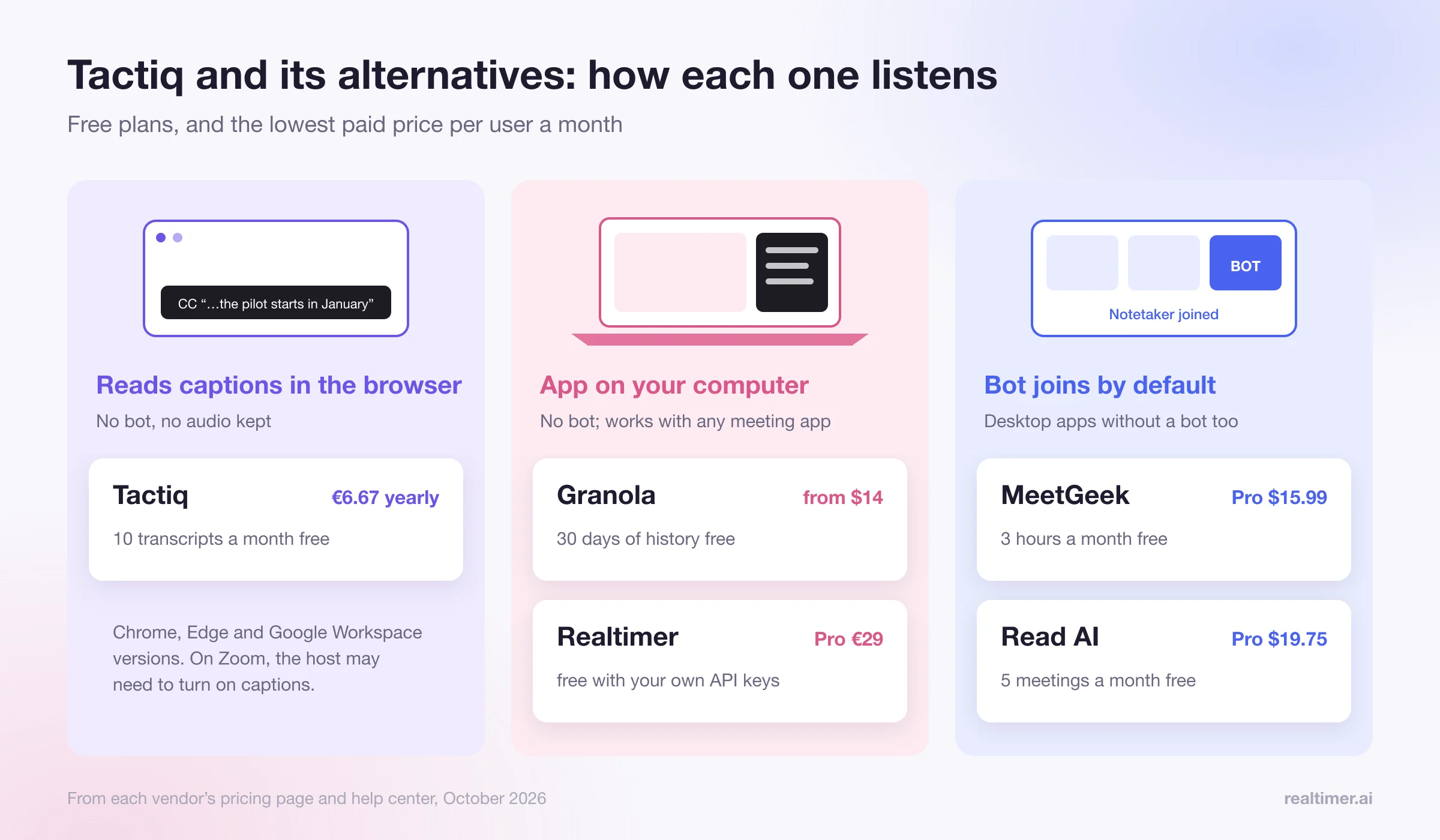
Tactiq is a Chrome extension that transcribes Google Meet, Zoom and Microsoft Teams meetings in your browser without a bot joining the call. Its free plan covers 10 transcripts a month, and paid plans start at €6.67 per user a month on annual billing. People look for a Tactiq alternative when they need more than browser meetings, notes that work in the desktop Zoom or Teams app, an audio recording, more AI, or help during the call itself. The closest bot-free alternatives are Granola for notes and Realtimer for live answers; MeetGeek and Read AI record with a bot by default but now also have desktop apps.
Checked in October 2026 against each vendor’s pricing page and help center. Prices change; check before you buy. We make Realtimer, one of the tools below.
What Tactiq does and costs
Tactiq runs as a browser extension (Chrome, with Edge and Google Workspace versions). During a meeting, its widget appears in the browser window and builds the transcript; according to Reline’s comparison of bot-free notetakers, it reads the meeting’s live captions and records no audio at all. For Zoom, you connect your Zoom account in Tactiq, and Tactiq’s help pages note that the host may need to enable captions.
Prices from Tactiq’s pricing page, annual billing:
| Plan | Price | Users | Transcripts a month | AI credits a month |
|---|---|---|---|---|
| Free | €0 | 1 | 10 | 5 |
| Pro | €6.67 per user a month | 1 | Unlimited | 10 |
| Team | €13.33 per user a month | 1 to 20 | Unlimited | Unlimited |
| Business | €25.50 per user a month | 20 to 200 | Unlimited | Unlimited |
| Enterprise | Custom | 200+ | Unlimited | Unlimited |
Pro adds the option to turn off transcript notifications and pause automatic transcription; Team adds auto-sharing transcripts with your team; Business adds advanced data retention and SAML SSO; Enterprise adds a custom data processing agreement and customizable in-meeting notifications.
Why people look for a Tactiq alternative
- It works in the browser. If you join Zoom or Teams from the desktop app, or take calls in other apps, a browser extension doesn’t see them.
- It depends on captions. The transcript is as good as the meeting platform’s captions, and the host may have to turn them on.
- There’s no audio. Tactiq doesn’t keep a recording you can listen back to; for some people that’s a privacy plus, for others a gap.
- AI is metered. The free plan includes 5 AI credits a month and Pro 10; unlimited AI starts with Team.
- The transcript builds while you talk, but Tactiq won’t answer a client’s question for you during the call.
Tactiq alternatives compared
| Tool | How it captures | Works with | Free plan | Paid from |
|---|---|---|---|---|
| Granola | Desktop app, no bot | Any app on your computer; Mac, Windows, iPhone, Android | 30 days of history | $14 per user a month |
| Realtimer | Mac app, no bot | Any call app on your Mac | Unlimited with your own API keys | €29 a month (Pro) |
| MeetGeek | Bot by default; desktop app and Chrome extension without a bot | Zoom, Meet, Teams | 3 hours of transcription a month | $15.99 a month Pro (less with yearly billing) |
| Read AI | Read Assistant joins the call; desktop apps without joining | Zoom, Meet, Teams | 5 meetings a month | $19.75 a month Pro ($15 yearly) |
| Your meeting app | Built-in transcripts and AI summaries | Zoom, Meet or Teams only | Zoom captions on free accounts | Paid Zoom, Workspace or Microsoft plans |
Granola: the closest bot-free notetaker
Granola runs on your computer and uses your microphone and system audio, so it works with any meeting app, desktop or browser, and nothing joins the call. You type rough notes during the meeting and Granola turns them plus the transcript into clean notes. It doesn’t save audio. Basic is free with 30 days of history; Business is $14 per user a month and Enterprise $35. If you liked Tactiq because there was no bot but you need it outside the browser, Granola is the closest match. More in our Granola review.
Realtimer: answers during the call
Realtimer also runs on your computer without a bot, on Mac. The difference is when it helps: when a client asks about a price, a product or terms, you press a key and see an answer from your own price list and documents in about a second, with the source, and you get notes after the call. It works with Zoom, Meet, Teams, WhatsApp and web dialers. It’s free with your own API keys, or €29 a month on Pro with AI and transcription included. It doesn’t run on Windows or in the browser. Details on the sales assistant page.
MeetGeek: recordings, more AI, bot by default
MeetGeek’s notetaker joins the meeting by default and records audio, and on Business also HD video. Its help center describes a Mac and Windows desktop app that records without a notetaker joining, and a Chrome extension that can capture a browser tab. The free Basic plan includes 3 hours of transcription a month with transcripts kept for 3 months. We broke down its plans in our guide to MeetGeek pricing.
Read AI: notes plus meeting analytics
Read AI’s Read Assistant joins Zoom, Teams and Meet calls to take notes, and its desktop apps for Windows and macOS can record without joining. Beyond notes it scores meetings (its Meeting Coach is on every plan) and searches across meetings, email and messages. The free plan covers 5 meetings a month up to an hour each. See what Read AI is and how it works.
Your meeting app’s own tools
If everyone meets on one platform, the built-in option may be enough. Zoom creates an audio transcript for cloud recordings on paid plans and lets free accounts save live captions; Google Meet and Microsoft Teams have their own transcripts and AI notes on some paid plans. Our guide on how to transcribe a Zoom meeting covers the Zoom options step by step.
How to choose
| If you need | Pick |
|---|---|
| Tactiq’s no-bot approach outside the browser | Granola |
| Answers during sales, property or recruiting calls | Realtimer |
| Audio or video recordings and team spaces | MeetGeek |
| Meeting scores and search across email and chat | Read AI |
| Only Zoom, Meet or Teams, nothing extra to install | Your platform’s built-in tools |
| The lowest price for unlimited transcripts | Tactiq Pro is hard to beat at €6.67 a month |
Consent applies with or without a bot
Every tool here transcribes the conversation, and a tool with no bot doesn’t announce itself. About a dozen US states, including California, Florida and Illinois, require everyone on a call to agree to recording, and EU and UK data protection law requires a lawful basis and notice. Say it at the start: “I’m using an app to take notes, is that OK?”
FAQ
Is Tactiq free?
Yes. The free plan includes 10 transcripts and 5 AI credits a month for one user. Pro costs €6.67 per user a month on annual billing.
Does Tactiq join meetings as a bot?
No. It runs as a browser extension and builds the transcript from the meeting’s captions, so nothing joins the call.
Does Tactiq work with the Zoom desktop app?
Tactiq works as a Chrome extension in the browser meeting window. If you join from desktop apps, use a tool that runs on your computer, such as Granola or Realtimer.
What’s the best free Tactiq alternative?
For notes without a bot, Granola’s free plan; for meetings on Zoom, saving Zoom’s live captions; for help during calls, Realtimer’s free version with your own API keys.
Which Tactiq alternative records audio?
MeetGeek records audio on all plans and video on Business. Granola and Tactiq don’t keep audio.
Is there a Tactiq alternative that helps during the call?
Yes. Realtimer shows answers from your own documents while the call is happening, and writes notes afterwards.
Sources: tactiq.io/pricing; Tactiq: transcribe Zoom; Reline: bot-free notetakers; granola.ai/pricing; meetgeek.ai/pricing; MeetGeek help: desktop app; read.ai/pricing; Zoom support: audio transcription.