AI for Zoom Calls: Zoom’s Own AI, Notetakers and Live Assistants (2026)
Updated
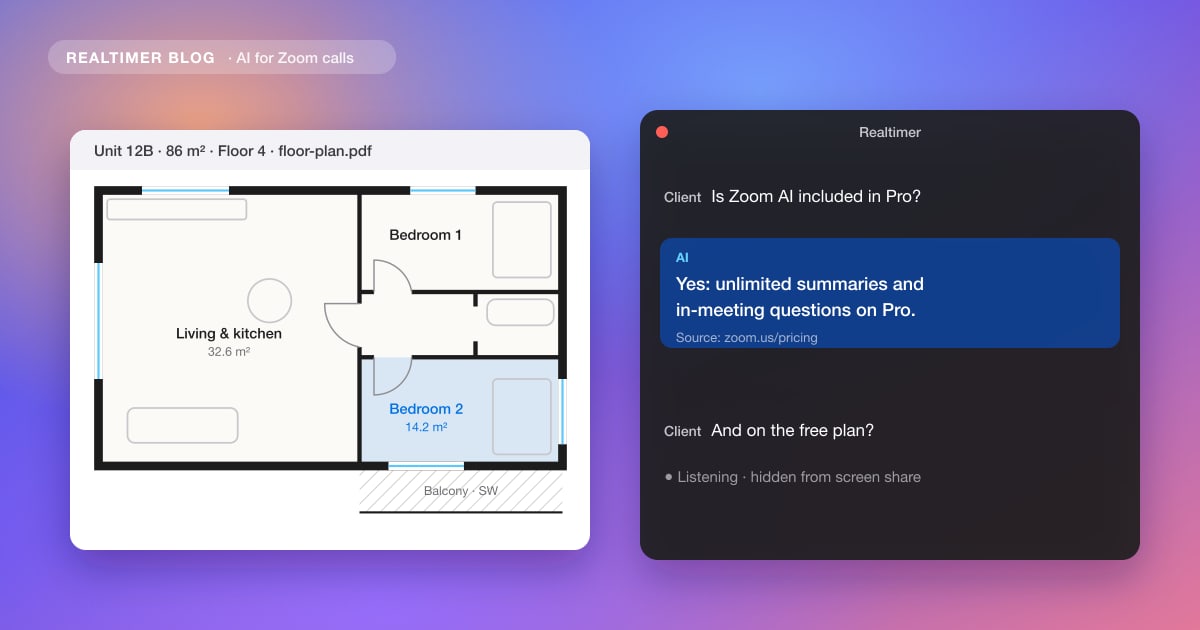
There are three kinds of AI for Zoom calls. Zoom has its own, built into its paid plans. Notetaker apps such as Otter join the call as a participant and send notes afterwards. And some apps run on your computer, listen to the call there and join nothing. The choice depends on whether you want a summary after the call or help while the other person is still talking.
From Zoom’s pricing and ZoomMate pages and its June 2026 blog post, Otter’s pricing page, university IT guides and our own guides, checked in November 2026. We make Realtimer, one of the apps described below.
Zoom’s own AI (formerly AI Companion)
Until June 2026 Zoom sold its AI as “AI Companion”. It has since dropped the name: meeting summaries, in-meeting questions, transcription and chat compose are now just features of Zoom Workplace, included with eligible paid plans. Zoom also launched ZoomMate, a separate paid product with agents that act on what was said, for example drafting a deck or updating Salesforce after the meeting.
On the free plan the AI is rationed: summaries for 3 hosted meetings a month and 20 AI queries, and meetings end at 40 minutes. Pro removes the limits on summaries and in-meeting questions.
| Plan | AI included | Price |
|---|---|---|
| Zoom Workplace Basic | Meeting summaries and in-meeting questions for 3 hosted meetings a month, 20 AI queries, My Notes 3 times a month | Free (meetings up to 40 minutes) |
| Zoom Workplace Pro | Unlimited meeting summaries and in-meeting questions, 8 custom summary templates a month, agentic search | $16.99 per user a month, or $14.16 billed annually |
| Zoom Workplace Business | Same AI as Pro, with 300 participants, SSO and admin controls | $21.99 per user a month, or $18.33 billed annually |
| ZoomMate | Agents, deep research, unlimited My Notes, custom summary templates, live audio translation, 2,200 AI credits a month | $20 per user a month, or $16.67 billed annually |
How to turn on AI in a Zoom call
Meeting summaries are off by default. On a company account an admin enables them first; on your own account you do it yourself in the Zoom web portal, under Settings, on the AI tab (older guides call it AI Companion). Turn on meeting summary, and in-meeting questions if you want participants to be able to ask the AI what they missed.
In the meeting, the host or a co-host clicks Start summary. There is also a setting that starts it automatically when every meeting begins. Participants can ask the host to start it. By default the summary goes only to the host, who can change who receives it. If the button doesn’t show, users on Zoom’s community forum found it behind the “show meeting tools” setting.
Notetaker apps that join the call
Otter joins Zoom, Microsoft Teams and Google Meet as a participant, transcribes, and sends a summary with action items. It can also pull in Zoom cloud recordings. The free Basic plan gives 300 minutes a month with a 30-minute cap per conversation; Pro costs $8.33 per user a month billed annually, with 1,200 minutes and up to 90 minutes per meeting; Business is $19.99 billed annually, with meetings up to 4 hours. Monthly prices and team costs are in Otter pricing.
Read AI and MeetGeek work the same way by default. The bot appears in the participant list, and on a meeting someone else hosts it may wait in the waiting room until the host admits it. Because they work on Teams and Meet as well, they keep one archive of notes across all three. Zoom’s My Notes also takes notes on other platforms, within the limits of your Zoom plan.
Apps that listen without joining
An app on your computer can listen to your microphone and the call audio, so nothing new appears in the meeting and it works on calls you don’t host. Granola writes notes after the call this way. Realtimer, which we make, works during the call: when the client or candidate asks something, it shows an answer from your own files in about a second, then writes notes afterwards. Cluely and Hedy also give suggestions during the call. The comparison is in AI meeting assistants without a bot.
Sales teams that record every call have one more option: Gong and Avoma can collect Zoom’s own cloud recordings on meetings you host, without a bot. See does Gong join calls as a bot.
Which AI for which Zoom call
If you host the meetings and already pay for Zoom, its own summary costs nothing extra. The other tools cover the cases below.
| You need | Use |
|---|---|
| A summary of meetings you host, on a paid Zoom plan | Zoom’s built-in meeting summary |
| Free notes on a few meetings a month | Zoom Basic (3 meetings) or Otter Basic (30 minutes per call) |
| Notes from Zoom, Teams and Meet in one place | A notetaker such as Otter, Read AI or MeetGeek |
| Notes on meetings someone else hosts, with no bot | An app on your computer, such as Granola |
| Help while a client or candidate is asking questions | A real-time assistant such as Realtimer |
| Live coaching for sales reps on their calls | A real-time sales coaching tool |
| Notes, CRM updates and follow-ups for a sales team | AI sales assistant software |
| A full transcript of a recorded meeting | How to transcribe a Zoom meeting |
Tell people the AI is listening
A notetaker bot is visible in the participant list. An app on your computer isn’t, so say it out loud at the start. In California, recording a confidential conversation needs the consent of everyone on it (Penal Code §632), and several other states have similar rules.
Help during the Zoom call, with nothing joining it
Realtimer runs on your Mac and listens to the call there. When the other person asks about price, terms or a detail in your documents, press a key and the answer appears in about a second, with the file it came from. Its window stayshidden when you share your screen, and you get notes after the call. Try Realtimer free →
AI for Zoom calls: FAQ
How do I turn on AI in a Zoom call?
Enable meeting summary (and in-meeting questions, if you want them) in the Zoom web portal under Settings, on the AI tab; on a company account an admin does it. In the meeting, the host or a co-host clicks Start summary.
How much does Zoom AI cost?
Meeting summaries and in-meeting questions are included with paid plans: Pro is $16.99 per user a month, or $14.16 billed annually. ZoomMate, the separate agent product, is $20 per user a month, or $16.67 billed annually.
Is there a free AI note taker for Zoom?
Yes. Zoom’s free plan includes summaries for 3 hosted meetings a month, and Otter’s free plan gives 300 minutes a month with a 30-minute cap per conversation.
Is Zoom AI Companion still available?
The features are, the name isn’t. Since June 2026 summaries, in-meeting questions and transcription are simply part of Zoom Workplace on eligible paid plans, and ZoomMate is sold separately.
Can ChatGPT write minutes from a Zoom call?
Yes, if you give it the transcript. Save Zoom’s transcript or captions, paste them in and ask for minutes in a fixed format; check names, numbers and decisions before you send them.
Sources: Zoom: Workplace pricing · Zoom: ZoomMate · Zoom blog: Meet ZoomMate (24 June 2026) · Georgetown UIS: using Zoom AI · Zoom community: Start Summary button · Otter: pricing · California Penal Code §632