Claude Meetings Review (2026): How It Works in Google Meet, What It Costs and Where It Stops
By Andrew from Realtimer · Updated
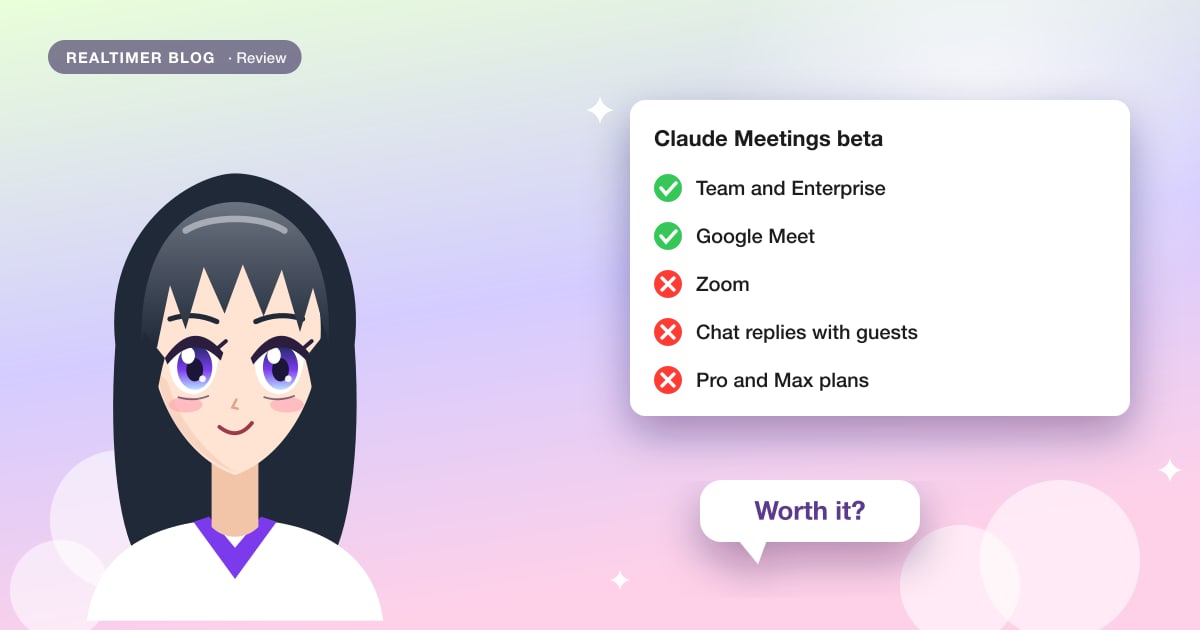
Claude Meetings is Anthropic’s meeting assistant. It joins a Google Meet call as a visible participant, takes notes, answers questions typed in the chat or asked out loud, and can make a doc, whiteboard or slides while people talk. After the call each meeting gets a page in Claude with the summary, action items and transcript. It is a beta for Claude Team and Enterprise only, works only in Google Meet, and by default stays out of any call with someone from outside your company.
Based on Anthropic’s announcement of 12 November 2026, the Claude Meetings help article and Claude’s pricing page, checked on 13 November 2026, plus press coverage where Anthropic’s pages are silent. The feature is in beta, so details may change. We make Realtimer, a call assistant for Mac compared at the end and in Claude Meetings alternative.
Claude Meetings at a glance
| Claude Meetings (beta) | |
|---|---|
| Who gets it | Claude Team and Enterprise; not Free, Pro or Max |
| Meeting apps | Google Meet; Anthropic says other platforms are coming |
| How it attends | Joins as a visible participant with its own tile and posts a notice in the chat |
| How you ask | Say “Claude” and the question, or type it in the Meet chat |
| Where it answers | In writing in the Meet chat, visible to everyone on the call |
| What it makes live | Docs, whiteboards, slides and other Claude artifacts |
| After the call | Meeting page with notes, summary, action items, transcript and artifacts; recap e-mail |
| What it keeps | Transcript, summary and descriptions of shared screens; no audio |
| Longest meeting | 8 hours |
| Outside guests | Off by default on Enterprise; on by default on Team; no chat replies when guests are present |
| Not available to | Organizations with zero data retention, HIPAA-ready configuration or customer-managed keys |
How to add Claude to a Google Meet call
Setup is short. An owner turns Claude Meetings on and allows the Google Calendar connector; you connect your calendar in Claude or Claude Desktop, pick a meeting and press Add Claude, and the host admits it when the call starts. Auto-join can bring it to all your meetings or all except one-on-ones. Each step, with the admin switches, is in our introduction to Claude Meetings, and the Meet side (admitting Claude, the chat, Gemini) in Claude Meetings for Google Meet.
During the call you can pause Claude or remove it, by asking it or from the meeting page. It stays for up to 8 hours and warns before it leaves. If you need a video recording, Meet’s own is covered in how to record Google Meet.
What Claude does during the meeting
Claude takes notes as people talk and acts when someone asks it to. You say “Claude” and the question, or type it in the chat, and the answer appears in the Meet chat as text. Everyone on the call sees that answer. Ask it to make a doc or a whiteboard and it builds one during the meeting; Anthropic’s help article says all artifact types work, slides included. Whiteboards, launched the same week, are part of this.
Claude can also use each person’s connected tools, with that person’s permission. The first time it needs your tools it asks, and a yes applies from then on; when the request is spoken aloud, it asks every time for now. Approval prompts appear in the Meet chat or on the meeting page. Anthropic’s pages don’t mention using files you upload for the meeting. Anthropic’s Nicholas Lin told Axios that Claude acts only when asked but may become more proactive.
After the call: the meeting page
Every meeting gets a page in Claude with notes, a summary, action items, the transcript, the chat and everything Claude made. Invitees from your organization get a recap e-mail with a link and can see and edit the page, and it can be shared with others in the organization. Meetings has its own calendar view, and in an ordinary Claude chat you can ask about past meetings you have access to. Anthropic says export of transcripts to Gong, Attention, Granola, Fireflies and Otter is coming. For what a good set of notes contains, see how to write meeting minutes.
Claude Meetings pricing
There is no separate price. You need a Claude Team or Enterprise plan. Team, for 2 to 150 people, costs $20 per Standard seat a month billed annually or $25 monthly, and $100 or $125 for a Premium seat. Self-serve Enterprise is $20 a seat a month billed annually with a 20-seat minimum, plus usage at API rates; larger deals go through sales.
During the beta, notes, transcripts and answers that don’t touch a connected tool cost nothing extra. Answers that use connected tools count toward the asking person’s usage and can lead to charges for the organization. Docs and whiteboards made in meetings are free until 10 February 2027; the announcement says the same for other artifacts. For a single seat, a Team plan costs more than most notetakers’ paid tiers; compare Otter pricing and Fathom pricing.
Calls with clients and other outside guests
On Enterprise, Claude stays out of any meeting with an invitee from outside your organization, and leaves if one joins partway through, including another company’s notetaker bot. On Team, outside guests are allowed by default and an owner can turn that off.
When guests are allowed, Claude listens and takes notes, posts its notice in the chat, and doesn’t reply there. What guests say goes into the notes and transcript, but guests get neither the meeting page nor the recap e-mail. So on a call with a client, Claude Meetings is only a notetaker, and its live answers stay with internal meetings.
Privacy: what Claude keeps
Claude saves the transcript, the summary and descriptions of what was on screen, and doesn’t save audio. Neither the announcement nor the help article gives a retention period, and they don’t explain what the screen descriptions contain. The help article asks you to make sure everyone on the call is fine with being transcribed; Claude’s notice in the chat is the only built-in signal. During the beta it isn’t offered to organizations with zero data retention, a HIPAA-ready configuration or customer-managed encryption keys, which rules out many healthcare and regulated teams for now.
Like Otter, Fireflies and Fathom, it is a participant everyone can see. The full list of risks and admin settings is in Claude Meetings security issues. Tools that work with nothing in the call are listed in AI meeting assistants without a bot.
Limits of the beta
Google Meet is the only platform in Anthropic’s announcement and help article. Computerworld quoted a spokesperson saying it will be available on Google Meet and Microsoft Teams, but Anthropic’s own pages promise only other platforms “coming soon”, so treat Teams as not yet available and Zoom as unannounced. If your calls run in Zoom, see AI for Zoom calls. Neither page lists supported languages or a mobile app, and press coverage says the answers are typed, without saying whether Claude can reply by voice.
Analysts quoted by Computerworld were cautious. Gartner called it “a beta entrant in a mature market” and advised waiting until it fits a company’s approved platforms, privacy and support model, with retention, audit and cost controls still to prove. Metrigy compared it with Copilot in Microsoft Teams, Zoom’s and Webex’s assistants, and standalone tools such as Otter and Granola.
Claude Meetings and the notetakers
| Tool | Who can buy it | Meeting apps | In the call | Paid from (annual) |
|---|---|---|---|---|
| Claude Meetings | Claude Team and Enterprise | Google Meet | Visible participant; answers in the chat | $20 a seat (Team, 2 seats minimum) |
| Otter | Anyone | Zoom, Teams, Meet | Notetaker joins | $8.33 (Pro) |
| Fireflies | Anyone | Zoom, Meet, Teams and others | Bot, or Chrome extension and desktop app without one | $10 (Pro) |
| Fathom | Anyone | Zoom, Teams, Meet | Bot, or bot-free beta on Mac | $16 (Premium) |
| Granola | Anyone | Any, from your computer | Nothing joins | $14 (Business) |
| Realtimer | Anyone with a Mac | Any app on your Mac | Nothing joins; answers only on your screen | €29 a month (Pro) |
Who Claude Meetings suits
It fits a company that already pays for Claude Team or Enterprise, runs internal meetings in Google Meet and wants the plan, the whiteboard and the notes to come out of the meeting itself. For that, nothing else on this list builds documents during the call. It fits poorly if your important calls are with clients, happen in Zoom or on the phone, or if you work alone: guests switch off its chat answers, Zoom isn’t supported, and there is no plan for one person.
If you need answers on client calls
We make Realtimer for the call Claude Meetings sits out: you and a client. It runs on your Mac, listens to Zoom, Meet, Teams, WhatsApp or a web dialer without joining, and shows the answer only on your screen when you press a key, from your own price list and documents, with the source, in about a second. Notes follow when you hang up. See how it works or the page for sales teams. It is free with your own API keys or €29 a month on Pro, and runs only on Mac.
The two also fit together. With the Realtimer connector for Claude, Claude can read the calls you saved in Realtimer, so a Zoom call with a client can end up in the same Claude chat as your Meet notes. The full comparison is in Claude Meetings alternative.
Answers on client calls, seen only by you
Realtimer runs on your Mac and joins nothing. When a client asks about price or terms, press a key and the answer appears in about a second from your own files, with the source; the notes are ready when you hang up. Free with your own API keys. What the free app includes →
Claude Meetings: FAQ
Who is Claude Meetings for?
Companies on Claude Team or Enterprise that hold internal meetings in Google Meet and want notes, answers and documents from the meeting itself. It suits client calls, Zoom users and solo users poorly.
Is Claude Meetings free?
It is included in Claude Team and Enterprise plans, from $20 a seat a month on annual billing. During the beta, notes, transcripts and answers without connected tools cost nothing extra. It isn’t available on Free, Pro or Max.
Does Claude Meetings work with Zoom or Microsoft Teams?
Not yet. Anthropic’s pages list Google Meet only and say other platforms are coming. One spokesperson mentioned Teams to Computerworld; Zoom hasn’t been announced.
Can other people see Claude’s answers?
Yes. Claude answers in the Meet chat, and the help article says anything posted there is visible to everyone on the call.
Does Claude Meetings work on calls with clients?
On Enterprise it stays out of meetings with outside guests unless an owner allows them. When guests are allowed, it takes notes but doesn’t reply in the chat, and guests don’t get the meeting page or recap.
Sources: Anthropic: Introducing Claude Meetings, now in beta (claude.com) · Claude Help Center: Use Claude Meetings (support.claude.com) · Claude: pricing (claude.com) · Computerworld: Anthropic targets workplace collaboration with Claude Meetings (computerworld.com) · iPhone in Canada: Claude Meetings brings live AI help to Google Meet (iphoneincanada.ca)