Read AI Alternatives (2026): 8 Meeting Notetakers Compared on Price, Bots and Playback
Updated
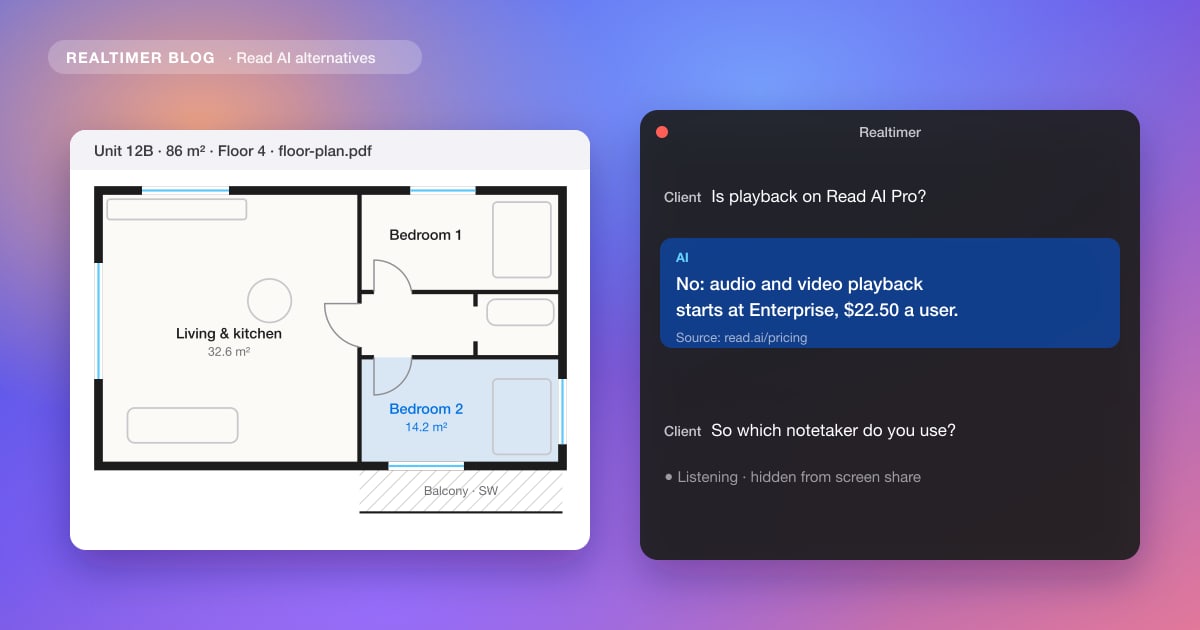
The usual Read AI alternatives are Otter, Fireflies, Fathom, tl;dv and MeetGeek, which also join the call to take notes, and Granola, which listens on your computer instead. Which one fits depends on why you are leaving Read AI: a free plan that stops at 5 meetings a month, the bot in the participant list, the price of audio and video playback, or the need for help while the client is still talking.
From each vendor’s pricing page, checked in November 2026. Prices are per user a month on annual billing unless stated; monthly billing costs more. We make Realtimer, one of the tools below. What Read AI does and how to remove it from a meeting is covered in what is Read AI.
Why people look for a Read AI alternative
Read AI’s free plan covers 5 meeting transcripts a month. Pro costs $15 on annual billing or $19.75 month to month, Enterprise $22.50 or $29.75, and Enterprise+ $29.75 or $39.75 with a minimum of five licenses. Listening back to your own meetings needs Enterprise: audio and video playback isn’t on Free or Pro. Limits and team costs for each plan are in Read AI pricing.
Other complaints come from how it is set up. The Read Assistant joins Zoom, Teams and Meet calls as a participant, so clients see it, and with calendar auto-join it can turn up in meetings nobody meant to record. In a workspace every license must be on the same plan, there are no admin-only seats, and Read’s pricing FAQ says it doesn’t refund a renewal you forgot to cancel.
Read AI alternatives compared
| Tool | How it captures | Free plan | Paid from (annual) | Best for |
|---|---|---|---|---|
| Read AI | Assistant joins the call; desktop apps without joining | 5 meetings a month | $15 (Pro) | Meeting scores, search across email and chat |
| Otter | Bot joins Zoom, Teams, Meet; phone app | 300 minutes a month, 30 minutes per call | $8.33 (Pro) | Cheap transcripts |
| Fireflies | Bot; Chrome extension and desktop app without a bot | Unlimited transcription, limited AI summaries | $10 (Pro) | Video recording at a low price |
| Fathom | Bot or bot-free (beta, Mac) | Unlimited recordings and transcripts | $16 (Premium); teams $15 with 2 users minimum | The biggest free plan |
| tl;dv | Bot, or desktop app without one | Unlimited recordings, AI notes for 10 meetings | €18 (Pro) | Recordings plus CRM workflows |
| MeetGeek | Bot by default; desktop app and Chrome extension without a bot | 3 hours of transcription a month | $9.99 (Pro) | Recordings and team spaces |
| Granola | Desktop and mobile apps, no bot | Limited meeting history | $14 (Business) | Notes with nothing in the participant list |
| Realtimer | Mac app, no bot | Unlimited with your own API keys | €29 a month (Pro) | Answers during the call, then notes |
A bigger free plan: Fathom, tl;dv and Fireflies
Fathom’s free plan has no meeting cap: unlimited recordings and transcripts, AI summaries, clips and search across your calls. Premium, with advanced summaries, action items and a custom meeting bot, costs $16 a month on annual billing or $20 monthly.
tl;dv’s free plan records and transcribes without limit too, but AI notes stop after 10 meetings. Fireflies transcribes without limit on its free plan as long as Auto-join is on, with limited AI summaries and 400 minutes of storage; the details are in Fireflies pricing. Otter gives 300 minutes a month with a 30-minute cap per conversation, and Zoom’s own free plan summarizes 3 hosted meetings a month; more on that in AI for Zoom calls.
No bot in the meeting: Granola, Realtimer and the bot-free modes
Granola runs on your computer and phone and takes audio from the device, so nothing joins the call and it works in any meeting app. You type rough notes and it merges them with the transcript. Basic is free with limited history; Business is $14 per user a month and Enterprise $35. Our Granola review has the details.
Several bot-based tools now have a bot-free mode. Read AI’s own desktop apps for Windows and macOS record without joining; Fireflies records through its Chrome extension or desktop app without the Fireflies bot; Fathom offers bot-free capture as a beta on Mac; MeetGeek has a desktop app and a Chrome extension. If you only want the bot gone, trying Read’s desktop app first costs nothing. A longer list is in AI meeting assistants without a bot.
Recordings you can play back, for less
Read AI keeps playback for Enterprise at $22.50 a user; other tools charge less or nothing. Otter plays back audio on its free plan; Fathom and tl;dv keep video recordings on their free plans; Fireflies adds video recording on Pro at $10. MeetGeek records audio on every plan and video on Business; its plans are broken down in MeetGeek pricing. Granola and Realtimer keep no audio at all, which some people prefer.
For sales teams: CRM sync and coaching
Read AI includes Meeting Coach on every plan and sends notes to HubSpot and Salesforce on Pro. Sales teams that want more tend to compare three plans. Fathom Business, at $25 a user on annual billing with two users minimum, adds CRM field sync, a deal view, coaching metrics and AI scorecards. tl;dv Business, at €29, adds playbook monitoring and objection handling across calls. Fireflies Business, at $19, adds conversation intelligence and team analytics.
Above that sits Gong, which buyers report at about $1,300 to $1,600 per user a year plus a platform fee; see Gong pricing.
Help during the call: Realtimer
All the tools above write notes after the meeting. Realtimer, which we make, works during it. It runs on your Mac and listens to Zoom, Meet, Teams, WhatsApp or a web dialer without joining. When the client asks about price, terms or a competitor, you press a key and an answer appears in about a second from your own price list and documents, with the source; notes follow after the call. It is free with your own API keys, or €29 a month on Pro, which needs no keys. It doesn’t run on Windows, and it doesn’t record video.
Which Read AI alternative to pick
| If you want | Pick |
|---|---|
| More free meetings | Fathom (no meeting cap) or tl;dv |
| No bot, notes only | Granola, or Read AI’s own desktop app |
| Video playback without paying for Enterprise | Fireflies Pro, or Fathom and tl;dv for free |
| The cheapest paid transcripts | Otter Pro at $8.33 |
| CRM sync and scorecards for a sales team | Fathom Business or tl;dv Business |
| Answers while the client is talking | Realtimer |
| Meeting scores plus search across email and chat | Stay on Read AI |
Notes after the call, answers during it
Realtimer runs on your Mac and joins nothing. When a client asks about price or terms, press a key and the answer appears in about a second from your own files, with the source; the notes are ready when you hang up. Free with your own API keys. Realtimer for sales →
Read AI alternatives: FAQ
What is the best free alternative to Read AI?
Fathom, whose free plan records and transcribes unlimited meetings with AI summaries. tl;dv also records without limit but caps AI notes at 10 meetings, and Fireflies transcribes without limit when Auto-join is on, with limited summaries.
Is there a Read AI alternative without a bot?
Yes. Granola and Realtimer run on your computer and never join the call. Fireflies, MeetGeek and Fathom (beta, on Mac) also have bot-free modes, and Read AI’s own desktop apps record without joining.
Is Otter better than Read AI?
Otter is cheaper, $8.33 a user a month on annual Pro against $15 for Read AI Pro, and plays back audio on its free plan. Read AI adds meeting scores and search across email and messages, and its free plan counts meetings rather than minutes.
Which Read AI alternative is best for sales calls?
For notes, CRM sync and scorecards after the call, Fathom Business or tl;dv Business. For answers to the client’s questions during the call, Realtimer.
Does Read AI give refunds?
Read AI’s pricing FAQ says it doesn’t refund subscriptions; if you cancel late, you keep access until the end of the billing period.
Sources: Read AI: pricing · Otter: pricing · Fireflies: pricing · Fathom: pricing · tl;dv: pricing · MeetGeek: pricing · Granola: pricing · Zoom: pricing